Email preview
Safe preview · remote images, scripts and original styling removed
Drop one .eml file or up to 50, saved from Gmail, Apple Mail, Thunderbird or Outlook on the web, and get searchable PDFs. Single emails and bundles up to 5 are free. Combine 6 to 50 into one indexed PDF for £39, one-off.
Runs in your browser. Your emails are never uploaded, not even when you pay.

Choose one or more .eml or .msg files from your device.
Up to 50 emails · 20 MB per file · 100 MB total · Bundles of 6+ emails £39Safe preview · remote images, scripts and original styling removed
| Ref | Date | From | Subject | Page |
|---|
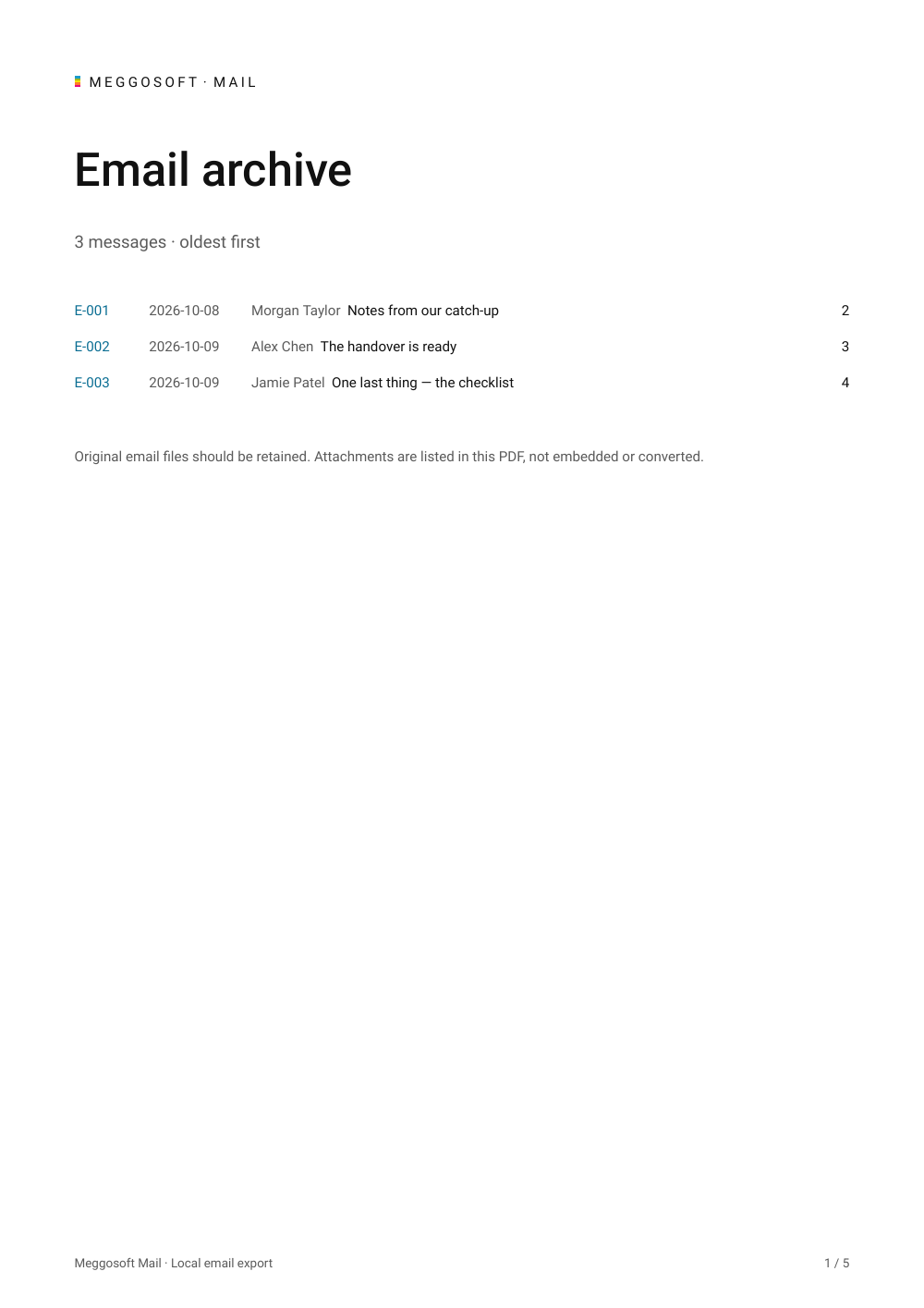
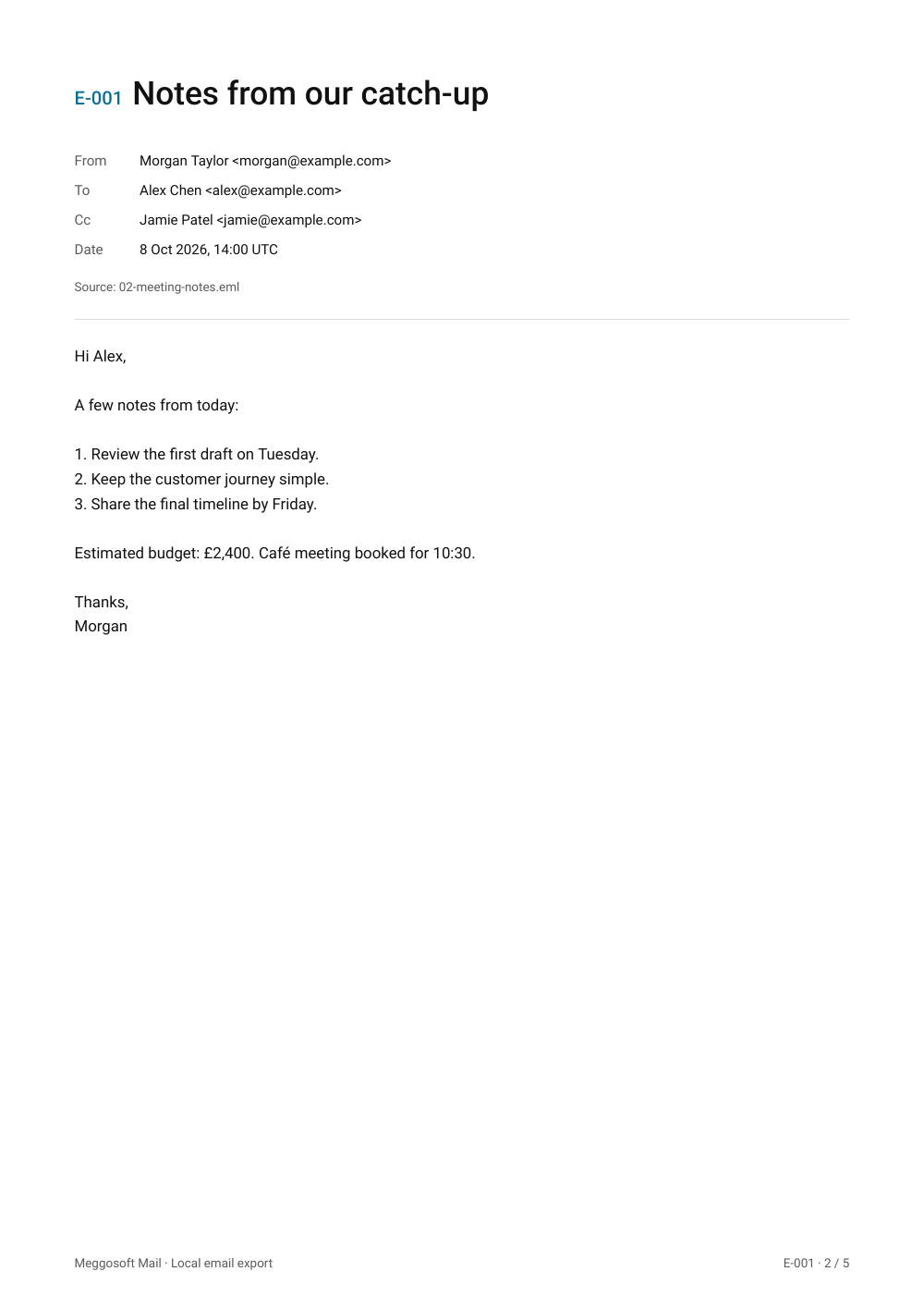
Laid out the way tribunals and solicitors commonly ask for email evidence: oldest first, every page numbered, and an index with dates and start pages. Always check the instructions for your own case.
No software to install and no account.
Gmail: More (⋮), then Download message. Apple Mail: drag the email to a folder. Thunderbird: File, Save As. Outlook on the web: More actions (…), then Download.
Add the .eml files to the workspace above. They are read in your browser and never uploaded.
One PDF per email in a ZIP, or one combined PDF: oldest first, with an index and every page numbered.
An .eml file is a single email saved in the standard internet message format, including its headers, body and attachments. Most email apps can save or export emails as .eml.
Yes. Meggosoft Mail reads the .eml file directly in your browser, so you don't need the email app that created it, and nothing is installed or uploaded.
No. Email parsing, previews and PDF creation all happen in your browser. The site downloads its code and fonts, but does not send your email contents or attachments to a server. Remote email images are blocked. The only things the site counts are six anonymous steps. If you buy a bundle after clicking a Google ad, the ad's click ID is reported back to Google Ads with the sale, so we know which ads work (see Privacy).
Drop the .eml or Outlook .msg file onto the page (or choose it), check the preview, then export. One email, or a ZIP of separate PDFs, is free. Everything happens in your browser, so the file is never uploaded.
Add up to 50 .eml or .msg files, choose "One combined bundle" and export. You get one PDF with the emails in date order (oldest first), each numbered E-001 onwards, every page numbered, and an index showing where each email starts. Bundles of up to 5 emails are free; 6 to 50 cost £39, one-off.
Classic Outlook for Windows: drag an email from Outlook into a folder, or use File, Save As, which saves a .msg file. New Outlook and Outlook on the web: open the email, choose More actions (…), then Save as or Download, which saves a .eml file. Gmail: open the email, choose More (⋮), then Download message (.eml). Apple Mail: drag the email to a Finder folder (.eml). Thunderbird: File, Save As, File (.eml). Menu names vary slightly between versions.
Meggosoft Mail supports EML and Outlook MSG emails with plain-text or HTML bodies. RTF-only and protected MSG messages, calendar items, PST archives and mailbox connections are not supported. Export unsupported messages as EML first.
The bundle follows the format commonly asked for: emails in date order, oldest first, every page numbered, and an index listing each email's date, sender, subject and start page. Requirements vary, so always follow any instructions or orders for your case, for example on page limits or how attachments should be included. Meggosoft Mail doesn't give legal advice.
PDFs use a clean reading layout with searchable text, headers and supported inline PNG/JPEG images, rather than an exact copy of the email's original design. In the combined bundle, each email lists its attachments by name, but their contents are not included. If you need the attachments too, export the free ZIP, which can include the original files alongside the PDFs; attachments are never converted to PDF. Review exports before relying on them, and keep the original EML files.
Single emails, ZIPs of individual PDFs and combined bundles of up to 5 emails are free. A combined bundle of 6 to 50 emails is £39, one-off, and stays unlocked for 30 days. Email us within 14 days for a full refund (see Contact & legal). Payment is handled by Stripe. Your emails are never uploaded, with or without paying.